
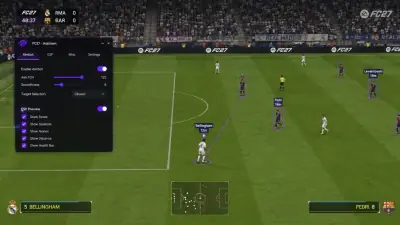
EA Sports FC 27 Cheats: A Straight Guide to What Each Feature Does
Most FC 27 cheat pages list forty features and explain none of them. Here is what the important ones actually do, where they work, and how to tell a genuinely useful build from a padded list.
Feature lists on FC 27 cheat pages have a habit of running to forty lines and explaining none of them. That is not an accident. A long list reads as value, and most buyers never stop to ask what half of it is for. The problem is that the list also tells you nothing about which tools change your results and which ones exist to make the page look fuller.
So here is the honest version. Grouped by what the features actually do, with a note on where each one applies and what to expect.
Match outcome tools
This is the group most people are really buying, whether they say so or not. It covers NoLoss, AutoWin, disconnect match, and the various spoofers.
NoLoss lets you leave a match you are losing without the result landing on your record. That is the single most valuable feature for anyone playing FUT Champions, because a Champions run is judged on wins from a fixed number of games. One bad match you cannot escape is one game of your weekend gone.
AutoWin sits alongside it and forces an opponent disconnect in supported modes so the match resolves in your favour. It does not play the game for you. It removes the match.
Disconnect Match is the manual version, for the times you want to pull out on your own terms rather than have it done for you.
Progression and ladder manipulation
Division Spoofer, Champions Win/Loss Spoofer, Champions Round Spoofer and Draft Round Modifier all do the same broad thing: they adjust where the game thinks you are. Dropping a division makes Rivals less punishing. Adjusting a Champions record cuts the number of games you have to grind for a given rank. The Draft modifier skips you forward in the bracket.
These are the features that pay for themselves fastest if your goal is rewards rather than highlights. They are also the ones most likely to be built differently from vendor to vendor, so read the specific product page rather than assuming a name means the same thing everywhere.
AI automation
AI Auto Play hands the match to the game's own AI and lets it play out. AI vs Online Opponent, AI Play Override and AI Co-op Play are variations on the same idea, with different levels of manual input left to you.
Where this earns its place is the boring half of the grind. Squad Battles, low-stakes Rivals, objective games. Set it running, walk away, come back to a result. It is not going to win you a tight Champions decider against a good player, and it is not meant to.
Virtual Pro and attribute editing
99 stats, five-star skill moves, five-star weak foot, PlayStyles+, full attribute editor, XP Boost and Virtual Pro sliders.
This is the Pro Clubs and Career side of the suite. A 99 stat line on a Virtual Pro changes how the character feels to control, not just what the numbers say, and five-star skills unlock animation sets that a lower rating simply cannot access. PlayStyles+ is the more interesting one because those traits affect how the player behaves in situations the stats do not cover.
Worth being clear: these are edits made through the tool. They are not EA's own progression, and a stat line you set can behave differently depending on the mode and the build.
Match state utilities
Time Changer, Ball Teleport, Disable Opponent AI, Desync Bypass, Anti-Crash, Anti-AFK.
Smaller tools, but the kind you miss when they are gone. Ball Teleport is for the situations where the game has decided a loose ball is going somewhere you cannot reach. Disable Opponent AI takes the fight out of a match that is already decided. Anti-AFK keeps you in the session. Anti-Crash and Desync Bypass keep the whole thing from falling over mid-game, which matters more than any single feature on this page.
Configuration and information
Server selection, custom server pools, power bar modifier, controller assistance, opponent information, ALT-TAB bypass.
The power bar modifier and controller assistance change how the game responds. Server selection lets you avoid the regions that feel worst. Opponent information tells you something about who you are facing before the whistle.
What is cosmetic and what is not
Cosmetic: ALT-TAB bypass, opponent information, XP Boost in isolation.
Not cosmetic: NoLoss, AutoWin, the spoofers, attribute editing, AI automation.
If you are choosing a build on a budget, the second group is where the money should go. The first group is nice and rarely the reason anyone buys. See what FC 27 cheats cost before you pick a duration.
How to choose without overpaying
Start from the mode you actually play. Rivals only means you want division and match control and can skip the Pro Clubs editing entirely. Champions means NoLoss explained and the Champions tools come first. Clubs means attributes, skills and PlayStyles+. Buying the biggest package when you play one mode is the most common way people waste money on this category.
Then check what sits underneath it. On PC, memory-side features increasingly run through a Cloud DMA layer rather than sitting purely in software, and that layer usually has its own requirements and its own cost. Confirm that before checkout rather than after.
Our FC 27 build is laid out this way, with the match control, FUT, AI and Virtual Pro tools grouped so you can see what you are getting instead of guessing. Have a look at the current build and requirements on the FC 27 cheat page, and match the package to your mode rather than to the longest feature list you can find.